Get into the detail
Edit fuel tables, curves and scalar settings. Select regions, adjust values, interpolate, smooth and undo changes while keeping your calibration in view.
EPICTUNER / ECU TUNING SOFTWARE
Work with your calibration, follow engine data, and understand the run. EpicTuner brings fuel maps, curves, live channels and datalog analysis into one desktop workspace.
Windows and Linux x64 available. Packages & requirements · Changelog
54 SECONDS INSIDE EPICTUNER
Recorded from the actual EpicTuner application · Synthetic demo calibration and log data · Silent walkthrough · Preview UI
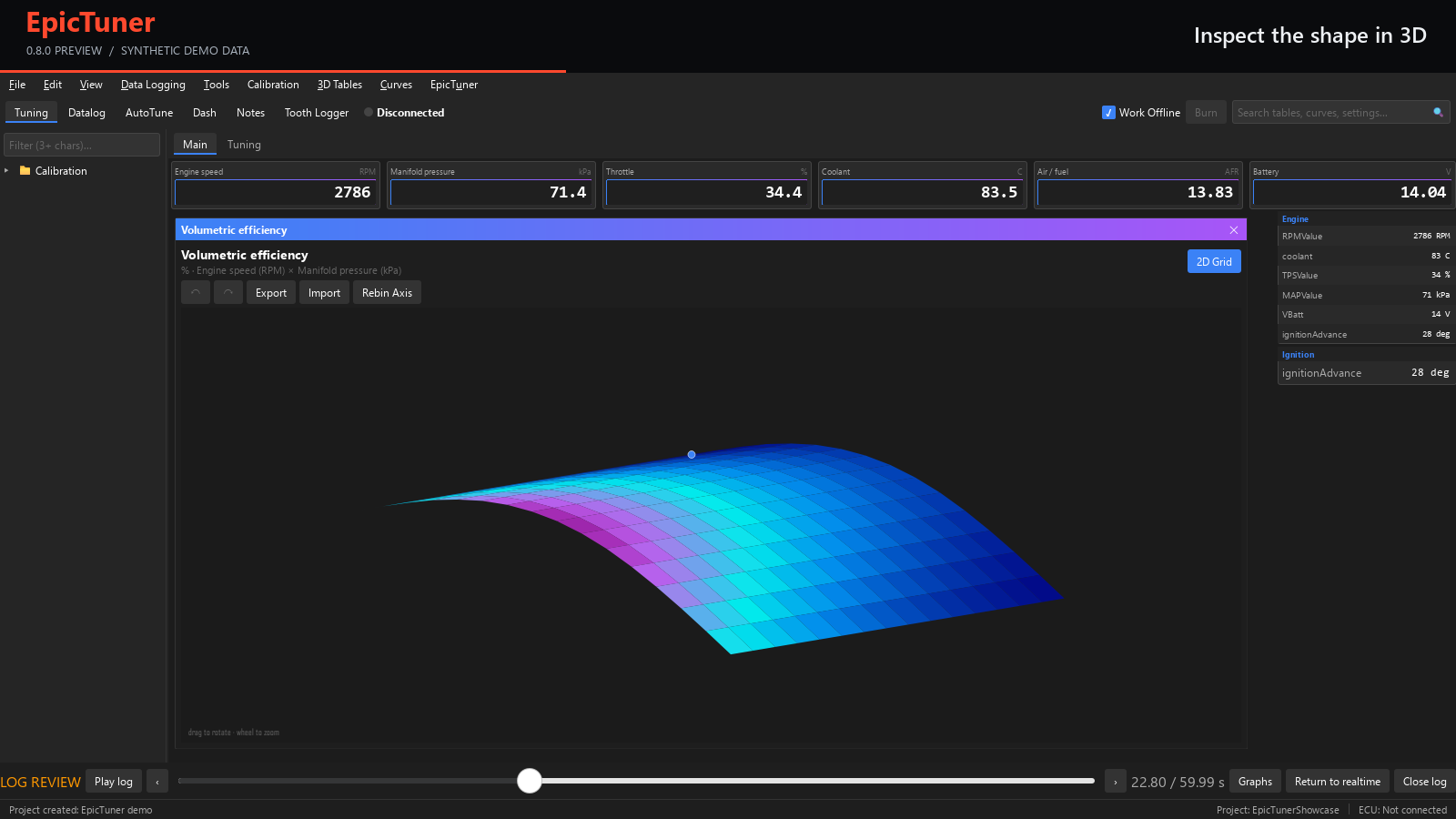
The video opens on the calibration workspace with channel readouts and a fuel table. A selection of cells is adjusted and then restored with undo. The same map is viewed as a rotating 3D surface. A warmup enrichment curve is edited and restored. The datalog view shows synchronized engine channels, cursor inspection and a closer time range. Finally, the recorded channels are replayed alongside the fuel map. All values are synthetic demonstration data; no ECU is connected.
THE TOOLS AT THE CENTER OF YOUR WORKFLOW
Edit fuel tables, curves and scalar settings. Select regions, adjust values, interpolate, smooth and undo changes while keeping your calibration in view.
Watch channel readouts and graphs in your workspace. Keep the signals that matter beside the maps you are working on, with configurable dashboard layouts.
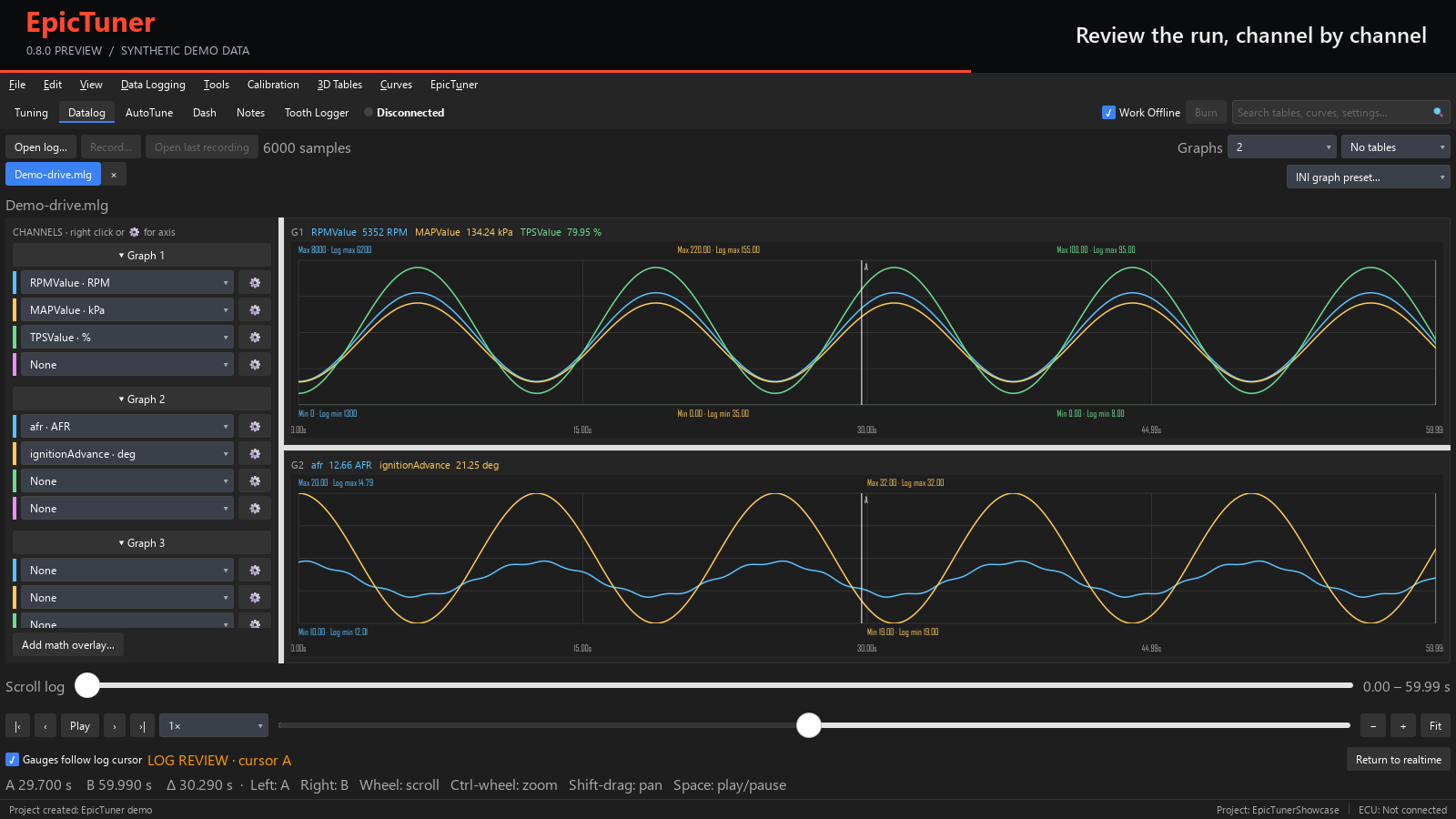
Open recorded logs, compare channels across synchronized graphs, inspect cursor values and zoom into the part of the run you need to understand.
CALIBRATION, IN CONTEXT
Move between a color-coded table and its 3D surface to inspect the shape of a map. Keep channel values nearby as you work, and use the editor’s undo history to review a change.
Tables, curves and fields use your project’s ECU definition, units and limits.
AFTER THE RUN
Review recorded channels together, inspect exact values, and narrow the visible time range. Bring a log back into the tuning workspace with dashboard playback.
Offline analysis lets you work through a recording without a connected ECU.
MAKE IT YOUR WORKSPACE
Arrange gauges, readouts and graphs around your calibration. Use docked editors or floating windows to suit your screen and the work in front of you.
Compare Windows & Linux packages →GO FURTHER WITH PLUGINS
Explore native extensions, custom analysis and host-rendered panels on the dedicated plugins page.
Explore EpicTuner plugins →EPICTUNER 0.8.14
Download EpicTuner for Windows or Linux x64, read the release notes, or get the separate plugin SDK. Linux ARM64 is coming later.