log-analyzer
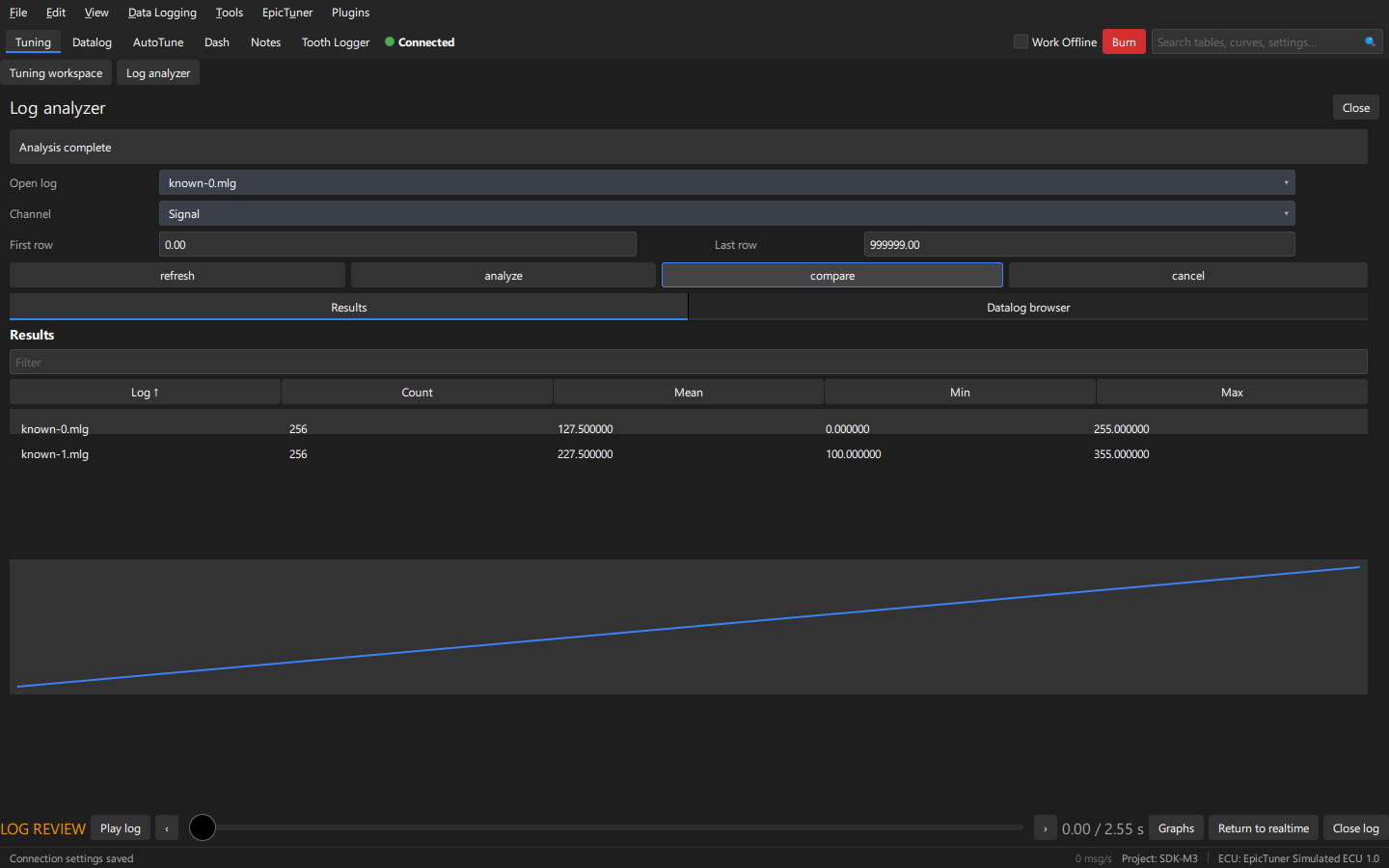
Build against the extracted SDK 1.0 with CMake 3.24+ and a native C++20 compiler. No Qt or private application headers are required.
cmake -S . -B out -G Ninja -DCMAKE_PREFIX_PATH=/absolute/path/to/sdk
cmake --build out
Or set EPICTUNER_SDK_ROOT, then run cmake --preset sdk and
cmake --build --preset sdk. Windows needs an initialized MinGW or x64 MSVC
environment. CMake generates a manifest for the selected OS/architecture.
Development package recipe: copy out/log-analyzer.dll (Linux: log-analyzer.so) and
out/plugin.json into one directory. Launch EpicTuner with
--plugin-development --plugin-manifest /absolute/path/plugin.json.
Open the example under Plugins > Examples. These unsigned packages require
explicit opt-in on each launch. For signed installation, follow Publishing.
Never include private tunes or INIs.
See READ.md for API contracts and bounds. The Datalog browser tab embeds the host datalog prefab.
Open fixtures/known-0.mlg and fixtures/known-1.mlg in EpicTuner. Refresh the
plugin, select the first log and Signal, then Compare. Expected results:
| Log | Count | Mean | Min | Max |
|---|---|---|---|---|
| known-0 | 256 | 127.5 | 0 | 255 |
| known-1 | 256 | 227.5 | 100 | 355 |
These deterministic MlgWriter fixtures have rows 0..255, Time=row/100 and Signal=row (second file adds 100). They contain no captured data. Choose a first/last row for range analysis. Compare matches the selected channel name in the next open log and rejects missing channels. Cancel stops further requests and cancels the current background job. The plugin keeps one bounded batch and running statistics. The demonstration pickers show the first 32 logs/columns; the API supports paging beyond that limit.