Hello panels
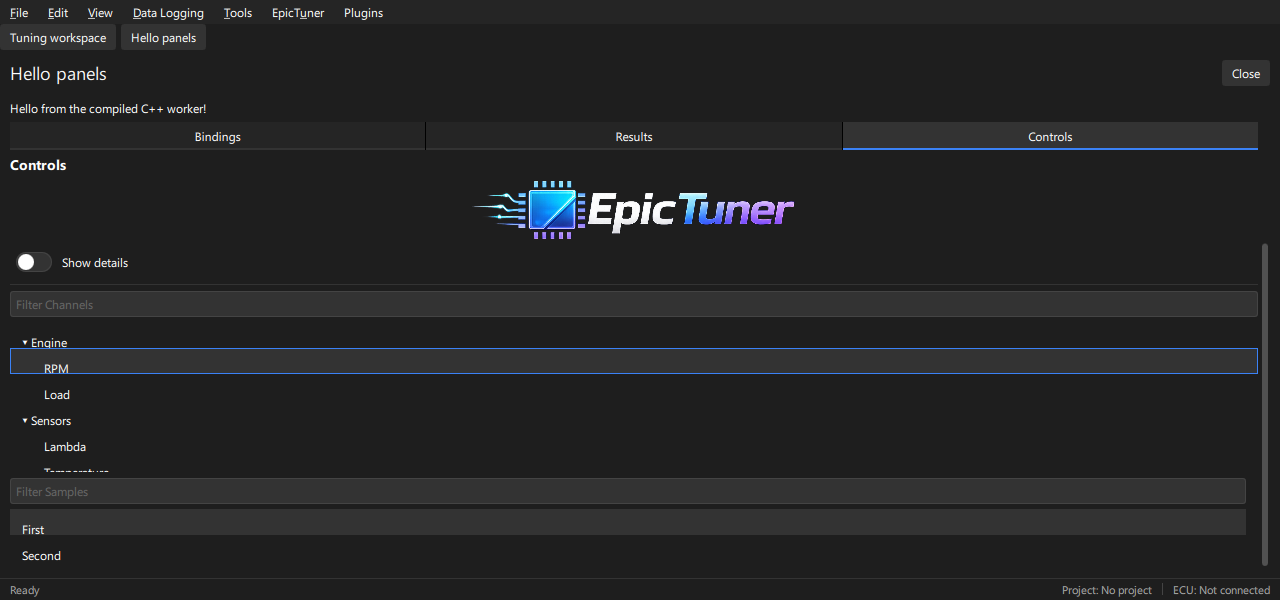
Build native UI with EpicTuner controls: sections, form fields, bindings, tabs, tables, charts and independent windows. The plugin source is hello.cpp.
Build and run
Set EPICTUNER_SDK_ROOT to the extracted SDK root, then run from this directory:
cmake --preset sdk
cmake --build --preset sdk
epictuner --plugin-development --plugin-manifest /absolute/path/out/plugin.json
Use the .exe application name on Windows. Copy the assets directory with the
library/manifest if moving the build. For a signed package, follow
Publishing or build the test catalog.
Acceptance
Open Plugins → Examples → Hello panels. Edit Name and Target lambda using Enter and Escape; change Mode and the checkbox. Click Say hello. The status changes only on that action. The mirrored field shares the value.
Open Inspector A twice: it focuses the same instance. Open Inspector B and give each a different note. Close and reopen them; instance state stays separate. Open the modal dialog and dismiss it with Done. Change theme/scale, move a floating panel and resize it. Restart the application with the same development manifest and settings: opted-in values and placement restore without replaying the greeting action. Invalid edits keep the last valid value.
All data is generated in hello.cpp; no ECU or external fixture is required. UI.md describes the node/property contract.