fuel-analysis-demo
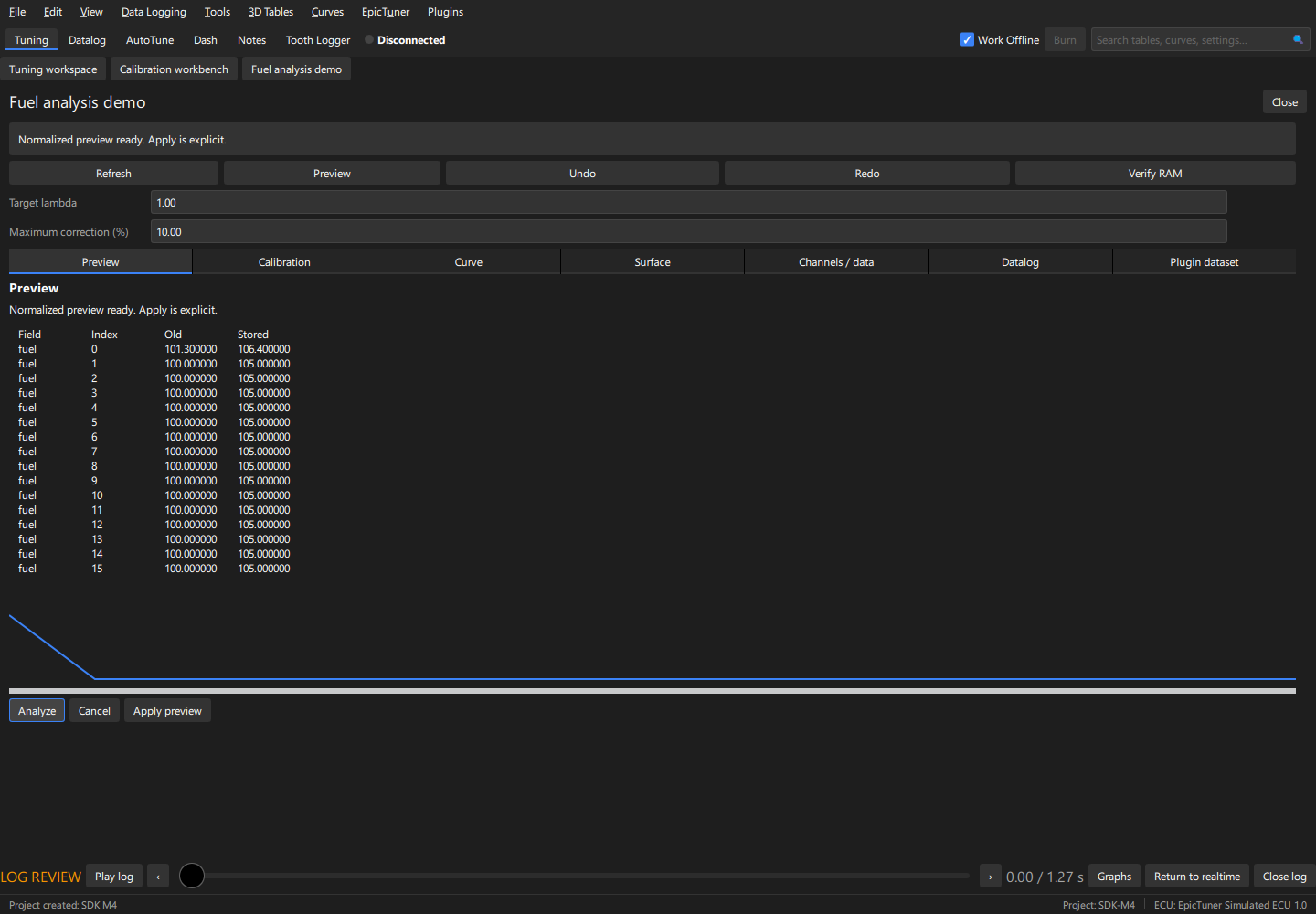
SDK-only C++20 example, with no Qt or private application headers. The shared
implementation is ../common/calibration.hpp. Build from the exported SDK:
cmake --preset release
cmake --build --preset release
Alternatively pass -DCMAKE_PREFIX_PATH=/absolute/path/to/sdk to a normal CMake
configure. Start the host with --plugin-development --plugin-manifest followed
by the absolute generated build/plugin.json path. The Plugins menu opens the
panel. Safe mode overrides development opt-in. For a local package, place the
built library and generated manifest together; preserve the manifest entry name.
For signed installation, use the test catalog or
the publishing guide.
Create an isolated project from ../calibration-workbench/synthetic.ini; select Mock or work offline. The workbench tabs
show the field/table/curve/surface, channels, datalog and plugin dataset prefabs.
Refresh snapshots the current revision. Open fixtures/lambda.mlg in the Datalog tab, return to Preview and press Analyze. Set target lambda and maximum correction (1..10 percent). The bounded background calculation proposes a table correction; it supports cancellation and requires offline or Mock mode.
Acceptance: the fixture is seeded to 100 percent fuel by the application test. The supplied 128-sample lambda log has mean 1.05, so target 1.00 yields 105 percent cells after explicit Apply. Missing/invalid lambda data is rejected. A changed tune revision requires refresh and recomputation. The demo has no Burn capability.
Follow the steps above to exercise the native panel and supplied fixtures. The host-maintainer acceptance suite additionally checks mock writes/readback, conflicts and saved calibration. These software fixtures do not establish physical ECU certification.